Complete Ghost platform
Putting together the whole Ghost platform
This is the final part of the Ghost platform deployment procedure. Here you are going to declare:
- The persistent storage volumes claimed by the Ghost components.
- The TLS certificate for encrypting client communications with the Ghost platform.
- The Traefik ingress resource that enables HTTPS access to the Ghost platform.
- The namespace for the whole Ghost platform’s Kubernetes setup.
You will put all these elements together with the components Kustomize subprojects you have already created under a single main Kustomize project.
Create a folder for the pending Ghost platform resources
The pieces that have not been declared yet in this Ghost platform deployment are all resources. Start by creating a folder where to put their YAML declarations together under the root folder of the Ghost platform Kustomize project:
$ mkdir -p $HOME/k8sprjs/ghost/resourcesGhost platform’s persistent volumes
A PersistentVolume is the Kubernetes resource for enabling in your K3s cluster the LVM storage volumes you arranged in the first part of this Ghost deployment procedure:
You need to create three different persistent volumes, so prepare a new YAML for each of them:
$ touch $HOME/k8sprjs/ghost/resources/{ghost-ssd-cache,ghost-ssd-db,ghost-hdd-srv}.persistentvolume.yamlDeclare the persistent volume for the Valkey cache server instance in
ghost-ssd-cache.persistentvolume.yaml:# Persistent storage volume for the Ghost cache apiVersion: v1 kind: PersistentVolume metadata: name: ghost-ssd-cache spec: capacity: storage: 2.8G volumeMode: Filesystem accessModes: - ReadWriteOnce storageClassName: local-path persistentVolumeReclaimPolicy: Retain local: path: /mnt/ghost-ssd/cache/k3smnt nodeAffinity: required: nodeSelectorTerms: - matchExpressions: - key: kubernetes.io/hostname operator: In values: - k3sagent02Declare the persistent volume for the MariaDB server instance in
ghost-ssd-db.persistentvolume.yaml:# Persistent storage volume for the Ghost database apiVersion: v1 kind: PersistentVolume metadata: name: ghost-ssd-db spec: capacity: storage: 6.5G volumeMode: Filesystem accessModes: - ReadWriteOnce storageClassName: local-path persistentVolumeReclaimPolicy: Retain local: path: /mnt/ghost-ssd/db/k3smnt nodeAffinity: required: nodeSelectorTerms: - matchExpressions: - key: kubernetes.io/hostname operator: In values: - k3sagent02Declare the persistent volume for the Ghost server instance in
ghost-hdd-srv.persistentvolume.yaml:# Persistent storage volume for the Ghost server apiVersion: v1 kind: PersistentVolume metadata: name: ghost-hdd-srv spec: capacity: storage: 9.3G volumeMode: Filesystem accessModes: - ReadWriteOnce storageClassName: local-path persistentVolumeReclaimPolicy: Retain local: path: /mnt/ghost-hdd/srv/k3smnt nodeAffinity: required: nodeSelectorTerms: - matchExpressions: - key: kubernetes.io/hostname operator: In values: - k3sagent02
All these PersistentVolume declarations use exactly the same parameters:
In the
metadatasection, thenamestrings are the same ones set in the claims you declared for the MariaDB and Seafile servers.In the
specsection there are a number or particularities:- The
spec.capacity.storageis a decimal number in gigabytes (G). Internally the decimal value will be converted to megabytes (M). Be sure of not assigning more capacity than is really available in the underlying storage, something you can check on the node with the commanddf -h.
Be careful with the units you use in Kubernetes
It is not the same typing 1G (1000M) than 1Gi (1024 Mi). Check out this Stackoverflow question about the matter for further clarification.
The
spec.volumeModeis set toFilesystembecause the underlying LVM volume has been formatted with an ext4 filesystem. The alternative value isBlock, and its valid only for raw (unformatted) volumes connected through storage plugins that support that format (local-pathdoesn’t).The
spec.accessModeslist has just theReadWriteOncevalue to ensure that only one pod (hence theOncepart) has read and write access to the volume.The
spec.storageClassNameis a parameter that indicates what storage profile (a particular set of properties) to use with the persistent volume. Remember that you only have one available in your K3s cluster,local-path, so that is the one you have to use.Mind the value you set in the
storageClassNameparameterIf you leave the
storageClassNameparameter unset, its value is set internally to the default one (local-pathin a K3s cluster). On the other hand, if the value is the empty string (storageClassName: ""), this leaves the volume with no storage class assigned at all.The
spec.persistentVolumeReclaimPolicyparameter is about the reclaim policy to apply to this persistent volume. When all the persistent volume claims that required this volume are deleted from the cluster, the system must know what to do with this storage.There are only two policies to use here:
RetainorDelete.Left unset, it is set to whatever reclaim policy is set in the storage class. The
local-pathhas it onDelete.Retaindeletes the persistent volume from the cluster but not the associated storage asset. This means that whatever data stored there gets preserved.Deletedeletes both the persistent volume and the associated storage asset, but only if the volume plugin/storage provisioner used supports it. In the case of the Rancher local-path-provisioner used in K3s (associated with thelocal-pathstorage class), it automatically cleans up the contents stored in the volume.
In
spec.local.pathis where you specify the absolute path, within the node’s filesystem, where you want to mount this volume. Notice how, in all the PVs, it has the path to their correspondingk3smntfolder you already left prepared in yourk3sagent02VM.The
spec.nodeAffinityblock restricts to which node in the cluster a persistent volume will be binded to. Since the storage used in this guide’s setup is local, you have to ensure with this set of parameters that the persistent volume is assigned to the node where the storage space truly exists. This affinity configuration would not be necessary in the case of using a distributed storage system.In the YAML declarations above, you can see how in all the PVs there is only one node affinity rule that looks for the hostname of the node (the
keyin thematchExpressionssection), and checks if it isIn(theoperatorparameter) the list of admittedvalues. Since thek3sagent02node is the only one with the storage ready for those volumes, its hostname is the only value in the list.
- The
Ghost platform’s TLS certificate
To encrypt the communications between your Ghost platform and its clients, you need a TLS certificate like the one created previously in the deployment of Headlamp:
Create a
ghost.homelab.cloud-tls.certificate.cert-manager.yamlfile underresources:$ touch $HOME/k8sprjs/ghost/resources/ghost.homelab.cloud-tls.certificate.cert-manager.yamlDeclare the certificate in
resources/ghost.homelab.cloud-tls.certificate.cert-manager.yaml:# TLS certificate for Ghost apiVersion: cert-manager.io/v1 kind: Certificate metadata: name: ghost.homelab.cloud-tls spec: isCA: false secretName: ghost.homelab.cloud-tls duration: 2190h # 3 months renewBefore: 168h # Certificates must be renewed some time before they expire (7 days) dnsNames: - ghost.homelab.cloud privateKey: algorithm: ECDSA size: 521 encoding: PKCS8 rotationPolicy: Always issuerRef: name: homelab.cloud-intm-ca01-issuer kind: ClusterIssuer group: cert-manager.ioThis certificate is adjusted to work with the DNS name the Ghost server is expected to have in the local network. It also includes the alternative DNS name configured in the Ghost server for accessing the Admin API.
Traefik IngressRoute for enabling HTTPS access to the Ghost platform
As you did with the Traefik dashboard or Headlamp, better handle the ingress into your Ghost platform with a Traefik IngressRoute. This allows you to provide a proper HTTPS access that uses the TLS certificate you have declared in the previous section:
Create the
ghost.homelab.cloud.ingressroute.traefik.yamlin theresourcesfolder:$ touch $HOME/k8sprjs/ghost/resources/ghost.homelab.cloud.ingressroute.traefik.yamlDeclare the Traefik
IngressRouteobject inresources/ghost.homelab.cloud.ingressroute.traefik.yaml:# HTTPS ingress for Ghost apiVersion: traefik.io/v1alpha1 kind: IngressRoute metadata: name: ghost.homelab.cloud spec: entryPoints: - websecure routes: - kind: Rule match: Host(`ghost.homelab.cloud`) services: - kind: Service name: server-ghost passHostHeader: true port: server scheme: http tls: secretName: ghost.homelab.cloud-tlsThis ingress configures an HTTPS route into the Ghost platform:
The
spec.entryPointsonly enables the websecure (HTTPS) access to the route declared below.The route to get into the Ghost platform is enabled in
spec.routes.This route invokes the
server-ghostservice and calls its port by name (which is namedserver). Also enables forwarding the client’s Host header to the Ghost server with thepassHostHeaderoption and specify that requests have the httpscheme.The TLS certificate is set in the
tls.secretNameparameter.
Ghost Namespace
To avoid naming conflicts with any other resources you could have running in your K3s cluster, it is better to put all the components of your Ghost platform under their own exclusive namespace:
Since a
Namespaceis also a Kubernetes resource, create a file for it under theresourcesfolder:$ touch $HOME/k8sprjs/ghost/resources/ghost.namespace.yamlDeclare the
Namespaceresource inresources/ghost.namespace.yaml:# Namespace for the Ghost components apiVersion: v1 kind: Namespace metadata: name: ghostAs you see above, the
Namespaceis one of the simplest resources you can declare in a Kubernetes cluster.
Main Kustomize project for the Ghost platform
With every required element declared or configured, now you need to put everything together under a single main Kustomize project:
Create a
kustomization.yamlfile under the rootghostfolder of the Ghost platform’s deployment project:$ touch $HOME/k8sprjs/ghost/kustomization.yamlDeclare the main Kustomize project in
kustomization.yaml:# Ghost platform setup apiVersion: kustomize.config.k8s.io/v1beta1 kind: Kustomization namespace: ghost labels: - pairs: platform: ghost includeSelectors: true includeTemplates: true resources: - resources/ghost-hdd-srv.persistentvolume.yaml - resources/ghost-ssd-cache.persistentvolume.yaml - resources/ghost-ssd-db.persistentvolume.yaml - resources/ghost.homelab.cloud-tls.certificate.cert-manager.yaml - resources/ghost.homelab.cloud.ingressroute.traefik.yaml - resources/ghost.namespace.yaml - components/cache-valkey - components/db-mariadb - components/server-ghostBe aware of the following details:
The
ghostnamespace is applied to all the namespaced resources coming out of this Kustomize project, except:- The
Namespaceobject itself. - The
PersistentVolumeresources.
- The
The
labelsbrands all the resources part of this Kustomize project with aplatformlabel. Remember that you already set anapplabel within each major component.In the
resourceslist you have YAML files and also the directories of the components you have configured in the previous parts of this guide.Kustomize projects can be added as resources
You can add directories as resources only if they have a
kustomization.yamlinside that can be read by Kustomize. In other words, you can list Kustomize projects as resources for another Kustomize project.
Validating the Kustomize YAML output
Before deploying your Ghost Kustomize project, review first its YAML output:
Since this particular output is going to be rather long, you may find more convenient to dump the resulting YAML into a file such as
ghost.k.output.yaml:$ kubectl kustomize $HOME/k8sprjs/ghost > ghost.k.output.yamlOpen the
ghost.k.output.yamlfile and compare your resulting YAML output with this one:apiVersion: v1 kind: Namespace metadata: labels: platform: ghost name: ghost --- apiVersion: v1 data: valkey.conf: |- # Custom Valkey configuration bind 0.0.0.0 protected-mode no port 6379 maxmemory 64mb maxmemory-policy allkeys-lru aclfile /etc/valkey/users.acl dir /data kind: ConfigMap metadata: labels: app: cache-valkey platform: ghost name: cache-valkey-config-c86dc4fh5d namespace: ghost --- apiVersion: v1 data: ghost-db-name: ghost-db ghost-username: ghostdb initdb.sh: |- #!/bin/sh echo ">>> Creating user for MariaDB Prometheus metrics exporter" mysql -u root -p$MYSQL_ROOT_PASSWORD --execute \ "CREATE USER '${MARIADB_PROMETHEUS_EXPORTER_USERNAME}'@'localhost' IDENTIFIED BY '${MARIADB_PROMETHEUS_EXPORTER_PASSWORD}' WITH MAX_USER_CONNECTIONS 3; GRANT PROCESS, REPLICATION CLIENT, SELECT ON *.* TO '${MARIADB_PROMETHEUS_EXPORTER_USERNAME}'@'localhost'; FLUSH privileges;" my.cnf: |- [client] default-character-set = utf8mb4 [server] # General parameters skip_name_resolve = ON max_connections = 50 thread_cache_size = 50 character_set_server = utf8mb4 collation_server = utf8mb4_general_ci tmp_table_size = 64M # InnoDB storage engine parameters innodb_buffer_pool_size = 256M innodb_io_capacity = 2000 innodb_io_capacity_max = 3000 innodb_log_buffer_size = 32M innodb_log_file_size = 256M prometheus-exporter-username: promexp kind: ConfigMap metadata: labels: app: db-mariadb platform: ghost name: db-mariadb-config-t9c84t7h62 namespace: ghost --- apiVersion: v1 data: GHOST_CONTENT: /home/nonroot/app/ghost/content GHOST_INSTALL: /home/nonroot/app/ghost NODE_ENV: production kind: ConfigMap metadata: labels: app: server-ghost platform: ghost name: server-ghost-env-vars-9ggkgtdt7b namespace: ghost --- apiVersion: v1 data: users.acl: | dXNlciBkZWZhdWx0IG9uIH4qICYqICtAYWxsID5QNHM1VzByZF9GT3JfN2gzX0RlRjR1MX RfdVNFcgp1c2VyIGdob3N0Y2FjaGUgb24gfmdob3N0OiogJiogYWxsY29tbWFuZHMgPnBB UzJ3T1JUX2Ywcl9UI2VfR2gwNVRfVXMzUg== kind: Secret metadata: labels: app: cache-valkey platform: ghost name: cache-valkey-acl-bcc5gh9d6g namespace: ghost type: Opaque --- apiVersion: v1 data: REDIS_PASSWORD: UDRzNVcwcmRfRk9yXzdoM19EZUY0dTF0X3VTRXI= REDIS_USER: ZGVmYXVsdA== kind: Secret metadata: labels: app: cache-valkey platform: ghost name: cache-valkey-exporter-user-6mdd99ft8d namespace: ghost type: Opaque --- apiVersion: v1 data: ghost-user-password: bDBuRy5QbDRpbl9UM3h0X3NFa1JldF9wNHM1d09SRC1Gb1JfNmgwc1RfdVozciE= prometheus-exporter-password: bDBuRy5QbDRpbl9UM3h0X3NFa1JldF9wNHM1d09SRC1Gb1JfM3hQMHJUZVJfdVozciE= root-password: bDBuRy5QbDRpbl9UM3h0X3NFa1JldF9wNHM1d09SRC1Gb1Jfck9vN191WjNyIQ== kind: Secret metadata: labels: app: db-mariadb platform: ghost name: db-mariadb-passwords-dtt9d6h2b9 namespace: ghost type: Opaque --- apiVersion: v1 data: config.production.json: | ewogICJ1cmwiOiAiaHR0cHM6Ly9naG9zdC5ob21lbGFiLmNsb3VkIiwKICAic2VydmVyIj ogewogICAgImhvc3QiOiAiMC4wLjAuMCIsCiAgICAicG9ydCI6IDIzNjgKICB9LAogICJs b2dnaW5nIjogewogICAgInRyYW5zcG9ydHMiOiBbCiAgICAgICAgInN0ZG91dCIKICAgIF 0KICB9LAogICJtYWlsIjogewogICAgInRyYW5zcG9ydCI6ICJTTVRQIiwKICAgICJmcm9t IjogImluZm9AZ2hvc3QuaG9tZWxhYi5jbG91ZCIsCiAgICAib3B0aW9ucyI6IHsKICAgIC AgInNlcnZpY2UiOiAiR29vZ2xlIiwKICAgICAgImhvc3QiOiAic210cC5nbWFpbC5jb20i LAogICAgICAicG9ydCI6IDQ2NSwKICAgICAgInNlY3VyZSI6IHRydWUsCiAgICAgICJhdX RoIjogewogICAgICAgICJ1c2VyIjogInlvdXJfZ2hvc3RfZW1haWxAZ21haWwuY29tIiwK ICAgICAgICAicGFzcyI6ICJZMHVyXzZoTzV0X2VNNDFsX1A0U3N2dm9SZCIKICAgICAgfQ ogICAgfQogIH0sCiAgImFkYXB0ZXJzIjogewogICAgImNhY2hlIjogewogICAgICAiUmVk aXMiOiB7CiAgICAgICAgImhvc3QiOiAiY2FjaGUtdmFsa2V5Lmdob3N0LnN2Yy5ob21lbG FiLmNsdXN0ZXIuIiwKICAgICAgICAicG9ydCI6IDYzNzksCiAgICAgICAgInVzZXJuYW1l IjogImdob3N0Y2FjaGUiLAogICAgICAgICJwYXNzd29yZCI6ICJwQVMyd09SVF9mMHJfVC NlX0doMDVUX1VzM1IiLAogICAgICAgICJrZXlQcmVmaXgiOiAiZ2hvc3Q6IiwKICAgICAg ICAidHRsIjogMzYwMCwKICAgICAgICAicmV1c2VDb25uZWN0aW9uIjogdHJ1ZSwKICAgIC AgICAicmVmcmVzaEFoZWFkRmFjdG9yIjogMC44LAogICAgICAgICJnZXRUaW1lb3V0TWls bGlzZWNvbmRzIjogNTAwMCwKICAgICAgICAic3RvcmVDb25maWciOiB7CiAgICAgICAgIC AicmV0cnlDb25uZWN0U2Vjb25kcyI6IDEwLAogICAgICAgICAgImxhenlDb25uZWN0Ijog dHJ1ZSwKICAgICAgICAgICJlbmFibGVPZmZsaW5lUXVldWUiOiB0cnVlLAogICAgICAgIC AgIm1heFJldHJpZXNQZXJSZXF1ZXN0IjogMwogICAgICAgIH0KICAgICAgfSwKICAgICAg ImdzY2FuIjogewogICAgICAgICJhZGFwdGVyIjogIlJlZGlzIiwKICAgICAgICAidHRsIj ogNDMyMDAsCiAgICAgICAgInJlZnJlc2hBaGVhZEZhY3RvciI6IDAuOSwKICAgICAgICAi a2V5UHJlZml4IjogImdob3N0OmdzY2FuLiIKICAgICAgfSwKICAgICAgImltYWdlU2l6ZX MiOiB7CiAgICAgICAgImFkYXB0ZXIiOiAiUmVkaXMiLAogICAgICAgICJ0dGwiOiA4NjQw MCwKICAgICAgICAicmVmcmVzaEFoZWFkRmFjdG9yIjogMC45NSwKICAgICAgICAia2V5UH JlZml4IjogImdob3N0OmltYWdlU2l6ZXMuIgogICAgICB9LAogICAgICAibGlua1JlZGly ZWN0c1B1YmxpYyI6IHsKICAgICAgICAiYWRhcHRlciI6ICJSZWRpcyIsCiAgICAgICAgIn R0bCI6IDcyMDAsCiAgICAgICAgInJlZnJlc2hBaGVhZEZhY3RvciI6IDAuOSwKICAgICAg ICAia2V5UHJlZml4IjogImdob3N0OmxpbmtSZWRpcmVjdHNQdWJsaWMuIgogICAgICB9LA ogICAgICAicG9zdHNQdWJsaWMiOiB7CiAgICAgICAgImFkYXB0ZXIiOiAiUmVkaXMiLAog ICAgICAgICJ0dGwiOiAxODAwLAogICAgICAgICJyZWZyZXNoQWhlYWRGYWN0b3IiOiAwLj csCiAgICAgICAgImtleVByZWZpeCI6ICJnaG9zdDpwb3N0c1B1YmxpYy4iCiAgICAgIH0s CiAgICAgICJzdGF0cyI6IHsKICAgICAgICAiYWRhcHRlciI6ICJSZWRpcyIsCiAgICAgIC AgInR0bCI6IDkwMCwKICAgICAgICAicmVmcmVzaEFoZWFkRmFjdG9yIjogMC44LAogICAg ICAgICJrZXlQcmVmaXgiOiAiZ2hvc3Q6c3RhdHMuIgogICAgICB9LAogICAgICAidGFnc1 B1YmxpYyI6IHsKICAgICAgICAiYWRhcHRlciI6ICJSZWRpcyIsCiAgICAgICAgInR0bCI6 IDM2MDAsCiAgICAgICAgInJlZnJlc2hBaGVhZEZhY3RvciI6IDAuOCwKICAgICAgICAia2 V5UHJlZml4IjogImdob3N0OnRhZ3NQdWJsaWMuIgogICAgICB9CiAgICB9CiAgfSwKICAi aG9zdFNldHRpbmdzIjogewogICAgImxpbmtSZWRpcmVjdHNQdWJsaWNDYWNoZSI6IHsKIC AgICAgImVuYWJsZWQiOiB0cnVlCiAgICB9LAogICAgInBvc3RzUHVibGljQ2FjaGUiOiB7 CiAgICAgICJlbmFibGVkIjogdHJ1ZQogICAgfSwKICAgICJzdGF0c0NhY2hlIjogewogIC AgICAiZW5hYmxlZCI6IHRydWUKICAgIH0sCiAgICAidGFnc1B1YmxpY0NhY2hlIjogewog ICAgICAiZW5hYmxlZCI6IHRydWUKICAgIH0KICB9LAogICJkYXRhYmFzZSI6IHsKICAgIC JjbGllbnQiOiAibXlzcWwiLAogICAgImNvbm5lY3Rpb24iOiB7CiAgICAgICJob3N0Ijog ImRiLW1hcmlhZGIuZ2hvc3Quc3ZjLmhvbWVsYWIuY2x1c3Rlci4iLAogICAgICAidXNlci I6ICJnaG9zdGRiIiwKICAgICAgInBhc3N3b3JkIjogImwwbkcuUGw0aW5fVDN4dF9zRWtS ZXRfcDRzNXdPUkQtRm9SXzZoMHNUX3VaM3IhIiwKICAgICAgImRhdGFiYXNlIjogImdob3 N0LWRiIiwKICAgICAgInBvcnQiOiAiMzMwNiIKICAgIH0KICB9LAogICJwcm9jZXNzIjog ImxvY2FsIiwKICAicGF0aHMiOiB7CiAgICAiY29udGVudFBhdGgiOiAiL2hvbWUvbm9ucm 9vdC9hcHAvZ2hvc3QvY29udGVudCIKICB9Cn0= kind: Secret metadata: labels: app: server-ghost platform: ghost name: server-ghost-config-c4td5f9fb9 namespace: ghost type: Opaque --- apiVersion: v1 kind: Service metadata: annotations: prometheus.io/port: "9121" prometheus.io/scrape: "true" labels: app: cache-valkey platform: ghost name: cache-valkey namespace: ghost spec: clusterIP: None ports: - name: server port: 6379 protocol: TCP targetPort: server - name: metrics port: 9121 protocol: TCP targetPort: metrics selector: app: cache-valkey platform: ghost type: ClusterIP --- apiVersion: v1 kind: Service metadata: annotations: prometheus.io/port: "9104" prometheus.io/scrape: "true" labels: app: db-mariadb platform: ghost name: db-mariadb namespace: ghost spec: clusterIP: None ports: - name: server port: 3306 protocol: TCP targetPort: server - name: metrics port: 9104 protocol: TCP targetPort: metrics selector: app: db-mariadb platform: ghost type: ClusterIP --- apiVersion: v1 kind: Service metadata: labels: app: server-ghost platform: ghost name: server-ghost namespace: ghost spec: clusterIP: None ports: - name: server port: 2368 protocol: TCP targetPort: server selector: app: server-ghost platform: ghost type: ClusterIP --- apiVersion: v1 kind: PersistentVolume metadata: labels: platform: ghost name: ghost-hdd-srv spec: accessModes: - ReadWriteOnce capacity: storage: 9.3G local: path: /mnt/ghost-hdd/srv/k3smnt nodeAffinity: required: nodeSelectorTerms: - matchExpressions: - key: kubernetes.io/hostname operator: In values: - k3sagent02 persistentVolumeReclaimPolicy: Retain storageClassName: local-path volumeMode: Filesystem --- apiVersion: v1 kind: PersistentVolume metadata: labels: platform: ghost name: ghost-ssd-cache spec: accessModes: - ReadWriteOnce capacity: storage: 2.8G local: path: /mnt/ghost-ssd/cache/k3smnt nodeAffinity: required: nodeSelectorTerms: - matchExpressions: - key: kubernetes.io/hostname operator: In values: - k3sagent02 persistentVolumeReclaimPolicy: Retain storageClassName: local-path volumeMode: Filesystem --- apiVersion: v1 kind: PersistentVolume metadata: labels: platform: ghost name: ghost-ssd-db spec: accessModes: - ReadWriteOnce capacity: storage: 6.5G local: path: /mnt/ghost-ssd/db/k3smnt nodeAffinity: required: nodeSelectorTerms: - matchExpressions: - key: kubernetes.io/hostname operator: In values: - k3sagent02 persistentVolumeReclaimPolicy: Retain storageClassName: local-path volumeMode: Filesystem --- apiVersion: v1 kind: PersistentVolumeClaim metadata: labels: app: cache-valkey platform: ghost name: cache-valkey namespace: ghost spec: accessModes: - ReadWriteOnce resources: requests: storage: 2.8G storageClassName: local-path volumeName: ghost-ssd-cache --- apiVersion: v1 kind: PersistentVolumeClaim metadata: labels: app: db-mariadb platform: ghost name: db-mariadb namespace: ghost spec: accessModes: - ReadWriteOnce resources: requests: storage: 6.5G storageClassName: local-path volumeName: ghost-ssd-db --- apiVersion: v1 kind: PersistentVolumeClaim metadata: labels: app: server-ghost platform: ghost name: server-ghost namespace: ghost spec: accessModes: - ReadWriteOnce resources: requests: storage: 9.3G storageClassName: local-path volumeName: ghost-hdd-srv --- apiVersion: apps/v1 kind: StatefulSet metadata: labels: app: cache-valkey platform: ghost name: cache-valkey namespace: ghost spec: replicas: 1 selector: matchLabels: app: cache-valkey platform: ghost serviceName: cache-valkey template: metadata: labels: app: cache-valkey platform: ghost spec: containers: - command: - valkey-server - /etc/valkey/valkey.conf image: valkey/valkey:9.0-alpine name: server ports: - containerPort: 6379 name: server resources: requests: cpu: "0.5" memory: 64Mi volumeMounts: - mountPath: /data name: valkey-storage - mountPath: /etc/valkey/valkey.conf name: valkey-config readOnly: true subPath: valkey.conf - mountPath: /etc/valkey/users.acl name: valkey-acl readOnly: true subPath: users.acl - envFrom: - secretRef: name: cache-valkey-exporter-user-6mdd99ft8d image: oliver006/redis_exporter:v1.80.0-alpine name: metrics ports: - containerPort: 9121 name: metrics resources: requests: cpu: "0.25" memory: 16Mi volumes: - name: valkey-storage persistentVolumeClaim: claimName: cache-valkey - configMap: defaultMode: 444 items: - key: valkey.conf path: valkey.conf name: cache-valkey-config-c86dc4fh5d name: valkey-config - name: valkey-acl secret: defaultMode: 444 items: - key: users.acl path: users.acl secretName: cache-valkey-acl-bcc5gh9d6g --- apiVersion: apps/v1 kind: StatefulSet metadata: labels: app: db-mariadb platform: ghost name: db-mariadb namespace: ghost spec: replicas: 1 selector: matchLabels: app: db-mariadb platform: ghost serviceName: db-mariadb template: metadata: labels: app: db-mariadb platform: ghost spec: containers: - env: - name: MYSQL_DATABASE valueFrom: configMapKeyRef: key: ghost-db-name name: db-mariadb-config-t9c84t7h62 - name: MYSQL_ROOT_PASSWORD valueFrom: secretKeyRef: key: root-password name: db-mariadb-passwords-dtt9d6h2b9 - name: MYSQL_USER valueFrom: configMapKeyRef: key: ghost-username name: db-mariadb-config-t9c84t7h62 - name: MYSQL_PASSWORD valueFrom: secretKeyRef: key: ghost-user-password name: db-mariadb-passwords-dtt9d6h2b9 - name: MARIADB_PROMETHEUS_EXPORTER_USERNAME valueFrom: configMapKeyRef: key: prometheus-exporter-username name: db-mariadb-config-t9c84t7h62 - name: MARIADB_PROMETHEUS_EXPORTER_PASSWORD valueFrom: secretKeyRef: key: prometheus-exporter-password name: db-mariadb-passwords-dtt9d6h2b9 image: mariadb:11.8-noble name: server ports: - containerPort: 3306 name: server resources: requests: cpu: "0.75" memory: 256Mi volumeMounts: - mountPath: /etc/mysql/my.cnf name: mariadb-config readOnly: true subPath: my.cnf - mountPath: /docker-entrypoint-initdb.d/initdb.sh name: mariadb-config readOnly: true subPath: initdb.sh - mountPath: /var/lib/mysql name: mariadb-storage - args: - --collect.auto_increment.columns - --collect.binlog_size - --collect.engine_innodb_status - --collect.global_status - --collect.global_variables - --collect.info_schema.clientstats - --collect.info_schema.innodb_metrics - --collect.info_schema.innodb_tablespaces - --collect.info_schema.innodb_cmp - --collect.info_schema.innodb_cmpmem - --collect.info_schema.processlist - --collect.info_schema.query_response_time - --collect.info_schema.tables - --collect.info_schema.tablestats - --collect.info_schema.schemastats - --collect.info_schema.userstats - --collect.perf_schema.eventsstatements - --collect.perf_schema.eventsstatementssum - --collect.perf_schema.eventswaits - --collect.perf_schema.file_events - --collect.perf_schema.file_instances - --collect.perf_schema.indexiowaits - --collect.perf_schema.tableiowaits - --collect.perf_schema.tablelocks - --collect.perf_schema.replication_group_member_stats - --collect.perf_schema.replication_applier_status_by_worker - --collect.slave_hosts - --mysqld.address=localhost:3306 - --mysqld.username=$(MARIADB_PROMETHEUS_EXPORTER_USERNAME) env: - name: MARIADB_PROMETHEUS_EXPORTER_USERNAME valueFrom: configMapKeyRef: key: prometheus-exporter-username name: db-mariadb-config-t9c84t7h62 - name: MYSQLD_EXPORTER_PASSWORD valueFrom: secretKeyRef: key: prometheus-exporter-password name: db-mariadb-passwords-dtt9d6h2b9 image: prom/mysqld-exporter:v0.18.0 name: metrics ports: - containerPort: 9104 name: metrics resources: requests: cpu: "0.25" memory: 16Mi volumes: - name: mariadb-storage persistentVolumeClaim: claimName: db-mariadb - configMap: defaultMode: 444 items: - key: initdb.sh path: initdb.sh - key: my.cnf path: my.cnf name: db-mariadb-config-t9c84t7h62 name: mariadb-config --- apiVersion: apps/v1 kind: StatefulSet metadata: labels: app: server-ghost platform: ghost name: server-ghost namespace: ghost spec: replicas: 1 selector: matchLabels: app: server-ghost platform: ghost serviceName: server-ghost template: metadata: labels: app: server-ghost platform: ghost spec: automountServiceAccountToken: false containers: - envFrom: - configMapRef: name: server-ghost-env-vars-9ggkgtdt7b image: ghcr.io/sredevopsorg/ghost-on-kubernetes:main livenessProbe: failureThreshold: 1 httpGet: httpHeaders: - name: X-Forwarded-Proto value: https - name: Host value: ghost.homelab.cloud path: /ghost/api/admin/site/ port: server initialDelaySeconds: 30 periodSeconds: 300 successThreshold: 1 timeoutSeconds: 3 name: server ports: - containerPort: 2368 name: server protocol: TCP readinessProbe: failureThreshold: 3 httpGet: httpHeaders: - name: X-Forwarded-Proto value: https - name: Host value: ghost.homelab.cloud path: /ghost/api/admin/site/ port: server initialDelaySeconds: 10 periodSeconds: 10 successThreshold: 1 timeoutSeconds: 3 resources: requests: cpu: 100m memory: 256Mi securityContext: allowPrivilegeEscalation: false readOnlyRootFilesystem: true runAsNonRoot: true runAsUser: 65532 volumeMounts: - mountPath: /home/nonroot/app/ghost/content name: ghost-storage - mountPath: /home/nonroot/app/ghost/config.production.json name: ghost-config readOnly: true subPath: config.production.json - mountPath: /tmp name: tmp hostAliases: - hostnames: - ghost.homelab.cloud ip: 10.7.0.1 initContainers: - command: - /bin/sh - -c - | set -e export DIRS='files logs apps themes data public settings images media' echo 'Check if base dirs exists, if not, create them' echo "Directories to check: $DIRS" for dir in $DIRS; do if [ ! -d $GHOST_CONTENT/$dir ]; then echo "Creating $GHOST_CONTENT/$dir directory" mkdir -pv $GHOST_CONTENT/$dir || echo "Error creating $GHOST_CONTENT/$dir directory" fi chown -Rfv 65532:65532 $GHOST_CONTENT/$dir && echo "chown ok on $dir" || echo "Error changing ownership of $GHOST_CONTENT/$dir directory" done exit 0 env: - name: GHOST_CONTENT valueFrom: configMapKeyRef: key: GHOST_CONTENT name: server-ghost-env-vars-9ggkgtdt7b image: docker.io/busybox:stable-musl name: permissions-fix resources: requests: cpu: 100m memory: 128Mi securityContext: allowPrivilegeEscalation: false readOnlyRootFilesystem: true volumeMounts: - mountPath: /home/nonroot/app/ghost/content name: ghost-storage readOnly: false volumes: - name: ghost-storage persistentVolumeClaim: claimName: server-ghost - name: ghost-config secret: defaultMode: 420 items: - key: config.production.json path: config.production.json secretName: server-ghost-config-c4td5f9fb9 - emptyDir: sizeLimit: 64Mi name: tmp --- apiVersion: cert-manager.io/v1 kind: Certificate metadata: labels: platform: ghost name: ghost.homelab.cloud-tls namespace: ghost spec: dnsNames: - ghost.homelab.cloud duration: 2190h isCA: false issuerRef: group: cert-manager.io kind: ClusterIssuer name: homelab.cloud-intm-ca01-issuer privateKey: algorithm: ECDSA encoding: PKCS8 rotationPolicy: Always size: 521 renewBefore: 168h secretName: ghost.homelab.cloud-tls --- apiVersion: traefik.io/v1alpha1 kind: IngressRoute metadata: labels: platform: ghost name: ghost.homelab.cloud namespace: ghost spec: entryPoints: - websecure routes: - kind: Rule match: Host(`ghost.homelab.cloud`) services: - kind: Service name: server-ghost passHostHeader: true port: server scheme: http tls: secretName: ghost.homelab.cloud-tlsThe most important thing here is to verify that the resources that get their names modified by Kustomize with an autogenerated suffix, in particular
ConfigMapsandSecrets, are called by their modified name wherever they are used in this setup.Kustomize does not change the names if they have been put in non-standard Kubernetes parameters
It might also be possible that Kustomize may not even touch values in certain particular standard ones.
On the other hand, notice how Kustomize has grouped all the resources together according to their kind and ordered them alphabetically by
metadata.name. Also see how theghostnamespace has been set in all resources except in thePersistentVolumeones because those in particular are not namespaced.
Deploying the main Kustomize project in the cluster
If you are satisfied with the YAML output of your Ghost Kustomize project, proceed to deploy Ghost in your Kubernetes cluster:
Use the
kubectlcommand to apply the Ghost platform Kustomize project in your cluster:$ kubectl apply -k $HOME/k8sprjs/ghostRight after applying the Kustomize project, check how the deployment is going for the components of your Ghost platform:
$ kubectl -n ghost get pv,pvc,cm,secret,deployment,replicaset,statefulset,pod,svc -o wideBelow you can see a possible output from the
kubectlcommand above:NAME CAPACITY ACCESS MODES RECLAIM POLICY STATUS CLAIM STORAGECLASS VOLUMEATTRIBUTESCLASS REASON AGE VOLUMEMODE persistentvolume/ghost-hdd-srv 9300M RWO Retain Bound ghost/server-ghost local-path <unset> 11s Filesystem persistentvolume/ghost-ssd-cache 2800M RWO Retain Bound ghost/cache-valkey local-path <unset> 11s Filesystem persistentvolume/ghost-ssd-db 6500M RWO Retain Bound ghost/db-mariadb local-path <unset> 11s Filesystem NAME STATUS VOLUME CAPACITY ACCESS MODES STORAGECLASS VOLUMEATTRIBUTESCLASS AGE VOLUMEMODE persistentvolumeclaim/cache-valkey Bound ghost-ssd-cache 2800M RWO local-path <unset> 12s Filesystem persistentvolumeclaim/db-mariadb Bound ghost-ssd-db 6500M RWO local-path <unset> 12s Filesystem persistentvolumeclaim/server-ghost Bound ghost-hdd-srv 9300M RWO local-path <unset> 12s Filesystem NAME DATA AGE configmap/cache-valkey-config-c86dc4fh5d 1 14s configmap/db-mariadb-config-t9c84t7h62 5 14s configmap/kube-root-ca.crt 1 14s configmap/server-ghost-env-vars-9ggkgtdt7b 3 14s NAME TYPE DATA AGE secret/cache-valkey-acl-k2bm2h5fgk Opaque 1 14s secret/cache-valkey-exporter-user-4thcmd49m2 Opaque 2 14s secret/db-mariadb-passwords-8g2hdgch72 Opaque 3 14s secret/ghost.homelab.cloud-tls kubernetes.io/tls 3 10s secret/server-ghost-config-k6b85fg6bb Opaque 1 14s NAME READY AGE CONTAINERS IMAGES statefulset.apps/cache-valkey 1/1 14s server,metrics valkey/valkey:9.0-alpine,oliver006/redis_exporter:v1.80.0-alpine statefulset.apps/db-mariadb 1/1 13s server,metrics mariadb:11.8-noble,prom/mysqld-exporter:v0.18.0 statefulset.apps/server-ghost 0/1 13s server ghcr.io/sredevopsorg/ghost-on-kubernetes:main NAME READY STATUS RESTARTS AGE IP NODE NOMINATED NODE READINESS GATES pod/cache-valkey-0 2/2 Running 0 13s 10.42.1.193 k3sagent02 <none> <none> pod/db-mariadb-0 2/2 Running 0 13s 10.42.1.195 k3sagent02 <none> <none> pod/server-ghost-0 0/1 Running 0 12s 10.42.1.194 k3sagent02 <none> <none> NAME TYPE CLUSTER-IP EXTERNAL-IP PORT(S) AGE SELECTOR service/cache-valkey ClusterIP None <none> 6379/TCP,9121/TCP 14s app=cache-valkey,platform=ghost service/db-mariadb ClusterIP None <none> 3306/TCP,9104/TCP 14s app=db-mariadb,platform=ghost service/server-ghost ClusterIP None <none> 2368/TCP 14s app=server-ghost,platform=ghostThere are a number of details about this Ghost platform deployment you must realize, based on this
kubectloutput:The components shown first are the persistent volumes with all their main details. Notice how the values under the
CAPACITYcolumn are in megabytes (M), although those sizes were specified in gigabytes (G) in their YAML manifests. Also see how there is no information about to which node are the volumes associated to. The statusBoundmeans that the volume has been claimed, so it is not free at the moment.Right below the persistent volumes you got the persistent volume claims, and all of them appear with
Boundstatus and with the name of theVOLUMEthey are bound to. And, as it happened with the PVs, the PVCs’ requestedCAPACITYis shown in megabytes (M) rather than gigabytes (G).All the config maps declared in this Ghost project are listed next, with their corresponding Kubernetes-autogenerated suffix attached to their names. Among them appears a
kube-root-ca.crt, which is a public TLS CA certificate used internally to verify the identity of the cluster’s Kubernetes API server.Right below the config maps appear all the secrets declared in the Ghost project, also with autogenerated suffixes appended to their names, except for the secret related to the Ghost platform TLS certificate.
The
StatefulSets appear with their names as they are in their YAML descriptions, next to other values that inform you of the pods they have running (READYcolumn) and a few other related details.In the sample output above, the
server-ghostStatefulSet is the one still not ready because the only pod it produces is not either.The pods are listed with the number of containers they have
READY. In the particular case of Ghost server’s pod (pod/server-ghost-0), notice that its only container is still not ready but the pod itself has aRunningstatus nevertheless. This is because the pod is really running but its readiness probe informs that it is not ready yet.See how all pods have a cluster IP assigned, and how all of them are running in the
k3sagent02K3s node of the cluster. Remember that this is due to the affinity configuration declared in their corresponding persistent volumes.Also be aware of a particularity about how pods are named automatically by Kubernetes’s control plane:
Pods from
StatefulSets get their names from their parent stateful set, plus an integer number as a suffix. When a stateful set requires to run more than one replica, each generated pod will have a different but consecutive number. Check more about stateful sets behaviour in the official Kubernetes documentation.Pods from regular
Deployments get a unique name from their parent replica set combined with an autogenerated suffix string (like-68984788b7-npjz9).
The last components listed are
Services, and you can see them listed all as headless (no cluster IP assigned) ones with no external IP whatsoever. Also worth mentioning the list ofPORT(S)each of them have open, and how the labels applied to them appear in theSELECTORcolumn.
Start using Ghost
When the pod for the Ghost server is listed as READY, browse to your Ghost platform (found in https://ghost.homelab.cloud for this guide) to see the homepage of its basic default site:
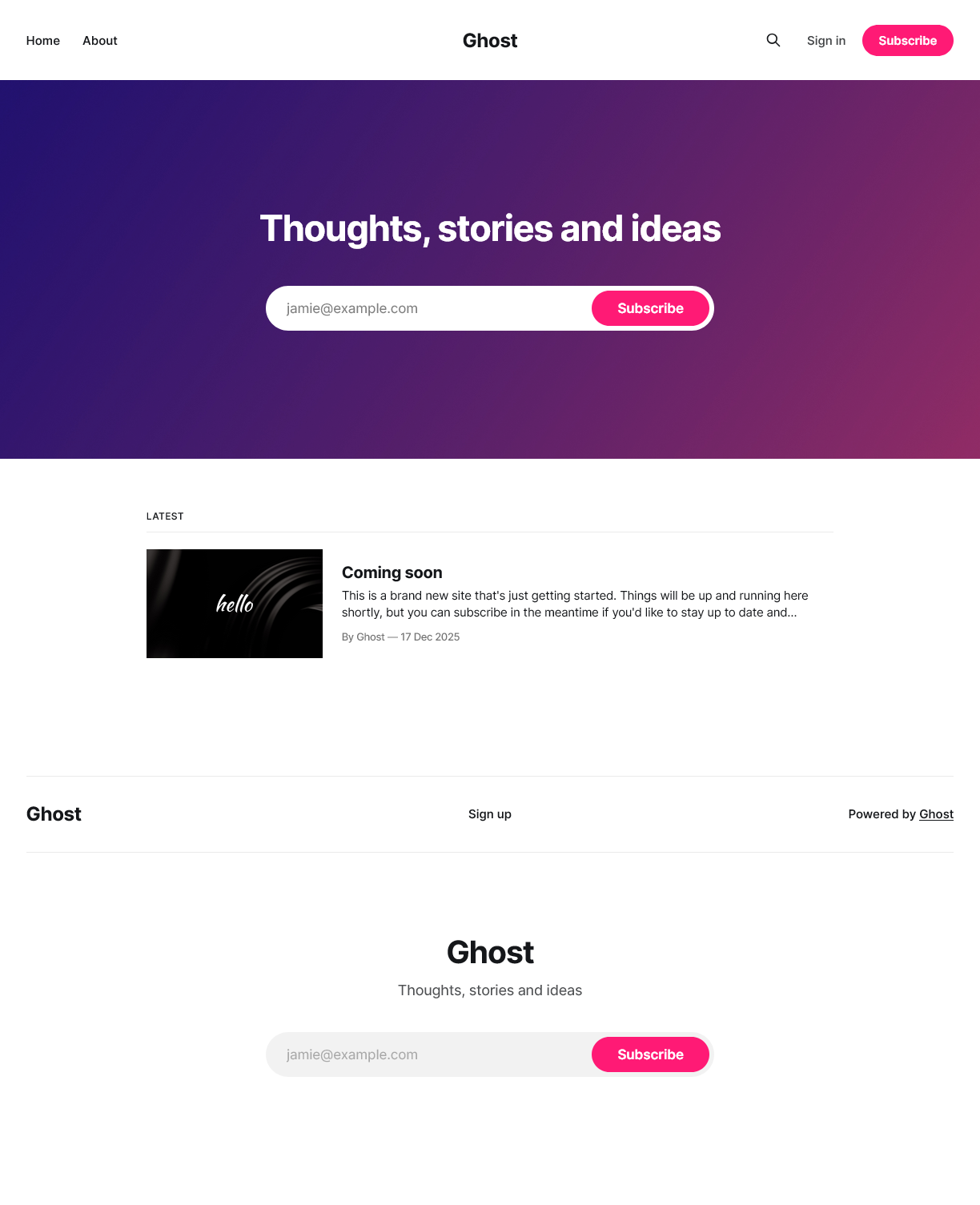
This is not really “your” site yet, it is just some default content for Ghost to serve initially.
A Ghost server instance only supports one site
In other words, you need a different Ghost instance for each new site you want to have.
You still need to explicitly setup your site, and register your first staff user:
Browse into the
/ghostsubpath in your Ghost server. Ghost redirecteds you to a setup form where you can give a title to your site and configure your first staff user. In this guide, this setup page’s full URL would behttps://ghost.homelab.cloud/ghost: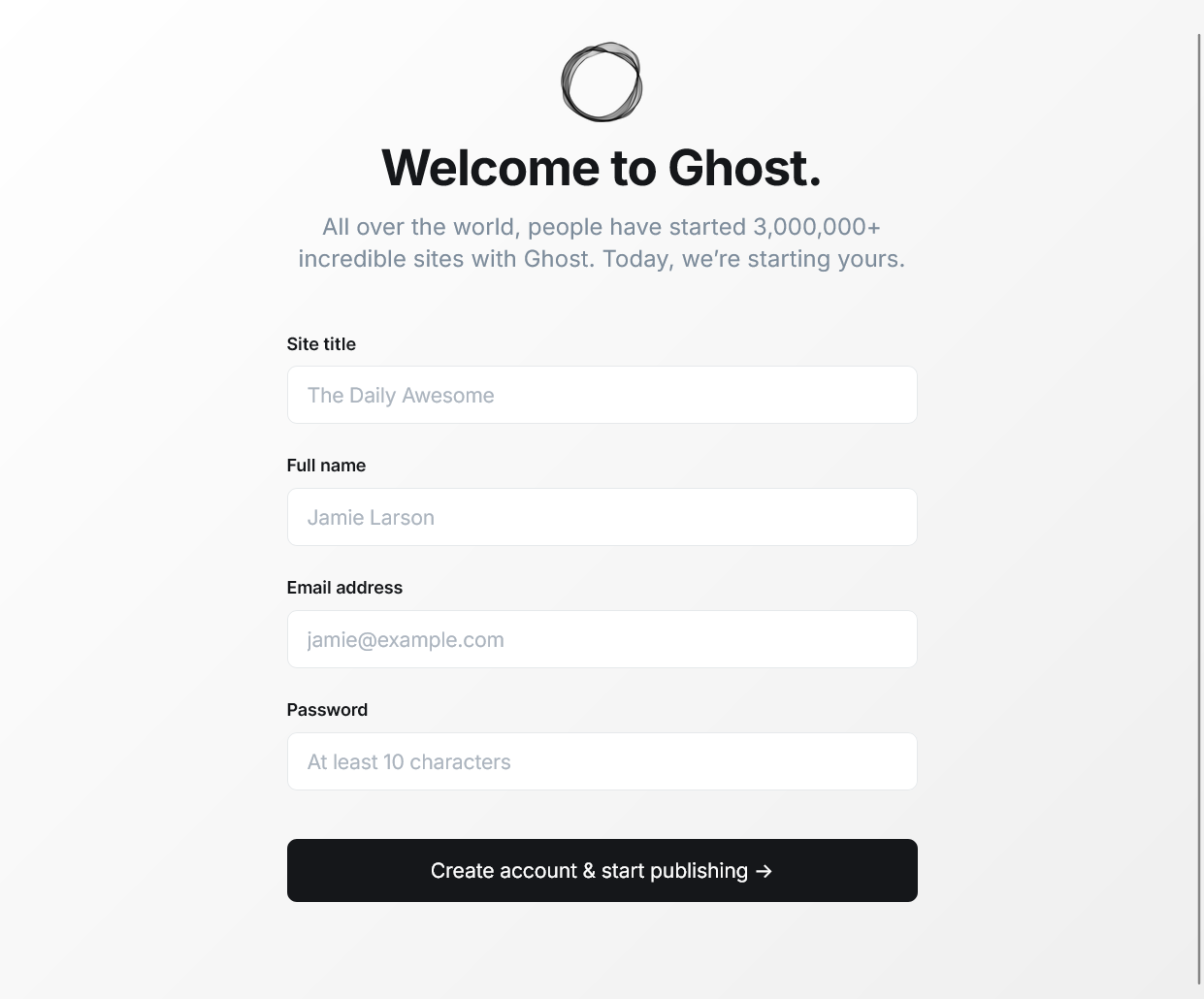
Ghost site setup form After pressing the “Create account & start publishing” button in the previous form, you get directly signed in as that new staff user in your Ghost site’s administration dashboard:
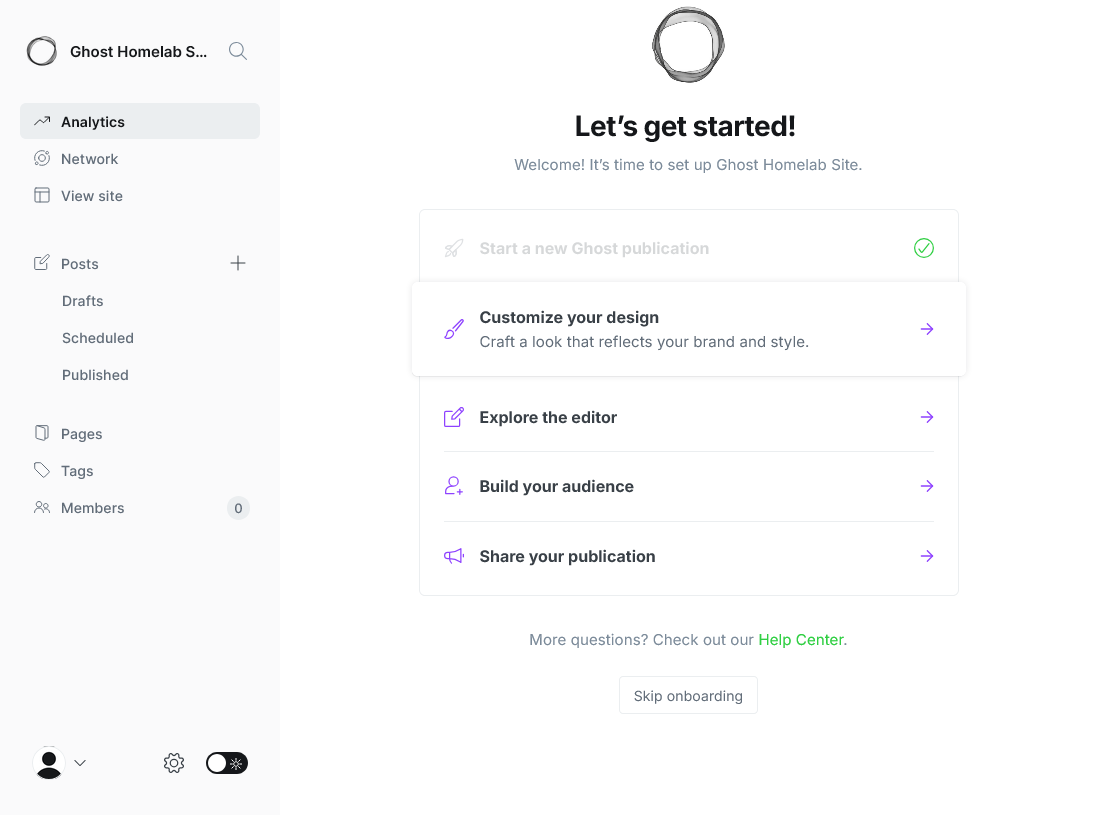
Onboarding in Ghost site administration area You are welcomed by the onboarding
Let's get started!page that helps you start working with your Ghost site. Be aware that Ghost makes your first staff user the owner of the site automatically.Also, you will receive a welcome email in the email address of your staff user:
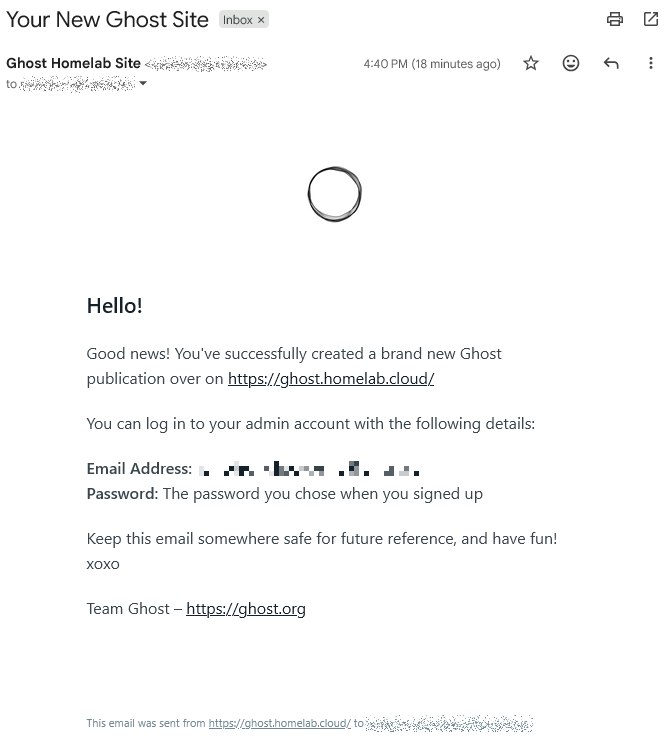
Ghost new site welcome email With the site initialized and your first staff user registered, everytime you need to sign back into your Ghost site, remember to browse to the “hidden” administration subpath
/ghost. Ghost redirects you directly to the “Sign in” page for staff users: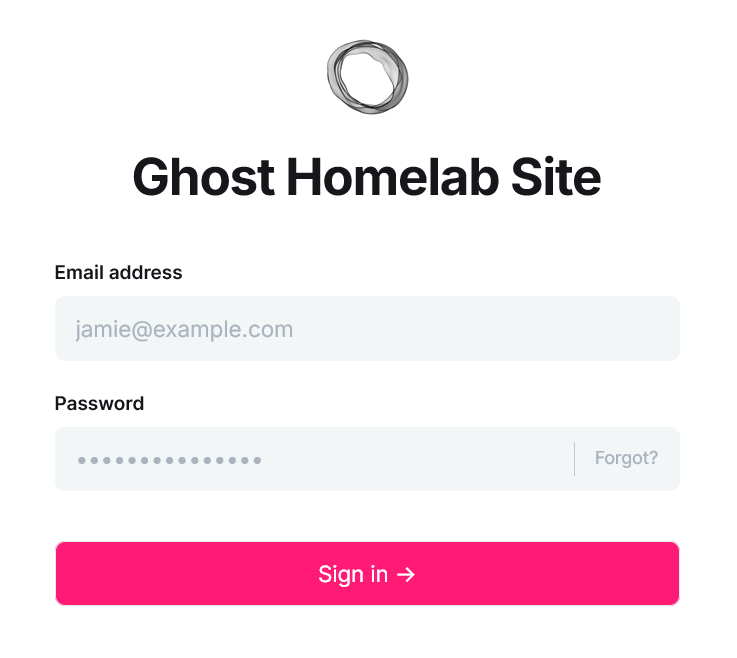
Ghost site sign in form for staff users The full subpath of this page is
/ghost/#/signin. Ghost redirects you here automatically when browsing to the/ghostsubpath if you do not have a staff user session active in the site yet.Staff users and members are different types of accounts in Ghost
While staff users take care of the management of the site and its contents, members are just people subscribed to the site to receive its newsletters.
This means that the “Sign in” and “Sign up” links offered in the site’s homepage are meant only for members, while staff users must sign in through the
/ghostsubpath.
To learn more about what you can do with a Ghost site, take a look to the official Ghost manual.
Security considerations in Ghost
Once you have your Ghost platform running, consider the following security concerns:
Enable the two-factor authentication of your owner staff user:
- Avoid using it as a regular staff user for publishing content in the site.
Create staff users with the appropiate privilege level:
Ghost offers four roles with different privilege levels. From lowest to highest privilege level, these roles are: contributor, author, editor and administrator. Always try to assign the lowest possible privilege level to each staff user.
Do not forget to enable the two-factor authentication to all staff users registered in your site.
Ghost platform’s Kustomize project attached to this guide
You can find the Kustomize project for this Ghost platform deployment in the following attached folder.
Relevant system paths
Folders in kubectl client system
$HOME/k8sprjs/ghost$HOME/k8sprjs/ghost/components$HOME/k8sprjs/ghost/components/cache-valkey$HOME/k8sprjs/ghost/components/db-mariadb$HOME/k8sprjs/ghost/components/server-ghost$HOME/k8sprjs/ghost/resources
Files in kubectl client system
$HOME/k8sprjs/ghost/kustomization.yaml$HOME/k8sprjs/ghost/resources/ghost-hdd-srv.persistentvolume.yaml$HOME/k8sprjs/ghost/resources/ghost-ssd-cache.persistentvolume.yaml$HOME/k8sprjs/ghost/resources/ghost-ssd-db.persistentvolume.yaml$HOME/k8sprjs/ghost/resources/ghost.homelab.cloud-tls.certificate.cert-manager.yaml$HOME/k8sprjs/ghost/resources/ghost.homelab.cloud.ingressroute.traefik.yaml$HOME/k8sprjs/ghost/resources/ghost.namespace.yaml