Complete monitoring stack setup
Completing your monitoring stack
With the main elements for your monitoring stack deployment prepared, you have to declare the remaining components and prepare the main Kustomize project that puts them together. The components still missing from your monitoring stack are:
- The persistent storage volumes for Prometheus and Grafana.
- The TLS certificate for encrypting client communications with Prometheus and Grafana.
- The Traefik ingress that enables HTTPS access into Prometheus and Grafana.
- The namespace under which all the namespaced components of the monitoring stack will be deployed in your K3s cluster.
These are all components you have already seen declared and deployed previously in this guide.
Create a folder to hold the missing monitoring stack components
Create the usual resources folder at the root of this monitoring stack Kustomize project:
$ mkdir -p $HOME/k8sprjs/monitoring/resourcesMonitoring stack persistent volumes
Enable the two storage volumes you prepared in the first part of this monitoring stack deployment procedure as persistent volume resources:
Generate two new YAML files under the
resourcesfolder, one per persistent volume:$ touch $HOME/k8sprjs/monitoring/resources/{monitoring-ssd-grafana-data,monitoring-ssd-prometheus-data}.persistentvolume.yamlDeclare each persistent volume in their correct YAML file:
Declare the persistent volume for Grafana in
monitoring-ssd-grafana-data.persistentvolume.yaml:# Persistent storage volume for monitoring stack's Grafana apiVersion: v1 kind: PersistentVolume metadata: name: monitoring-ssd-grafana-data spec: capacity: storage: 1.9G volumeMode: Filesystem accessModes: - ReadWriteOnce storageClassName: local-path persistentVolumeReclaimPolicy: Retain local: path: /mnt/monitoring-ssd/grafana-data/k3smnt nodeAffinity: required: nodeSelectorTerms: - matchExpressions: - key: kubernetes.io/hostname operator: In values: - k3sagent01Declare the persistent volume for Prometheus in
monitoring-ssd-prometheus-data.persistentvolume.yaml:# Persistent storage volume for monitoring stack's Prometheus apiVersion: v1 kind: PersistentVolume metadata: name: monitoring-ssd-prometheus-data spec: capacity: storage: 9.8G volumeMode: Filesystem accessModes: - ReadWriteOnce storageClassName: local-path persistentVolumeReclaimPolicy: Retain local: path: /mnt/monitoring-ssd/prometheus-data/k3smnt nodeAffinity: required: nodeSelectorTerms: - matchExpressions: - key: kubernetes.io/hostname operator: In values: - k3sagent02
There is nothing in these persistent volumes that you have not already seen before in this guide. Just ensure that the following details are correct:
Specified names and capacities must align to what you have declared in the corresponding persistent volume claims and what is truly available in the LVMs created in the K3s agent nodes.
Verify that the specified local paths exist in the corresponding K3s agent nodes.
The
nodeAffinityspecification has to point, in thevalueslist, to the right K3s agent node on each persistent volume. In this guide, Grafana has its local LVM storage enabled in thek3sagent01node, while Prometheus has its corresponding LVM in thek3sagent02node.
Monitoring stack TLS certificate
Declare a TLS certificate to secure communications between clients and your monitoring stack:
Create a
monitoring.homelab.cloud-tls.certificate.cert-manager.yamlfile underresources:$ touch $HOME/k8sprjs/monitoring/resources/monitoring.homelab.cloud-tls.certificate.cert-manager.yamlDeclare the certificate in
monitoring.homelab.cloud-tls.certificate.cert-manager.yaml:# TLS certificate for the monitoring stack apiVersion: cert-manager.io/v1 kind: Certificate metadata: name: monitoring.homelab.cloud-tls spec: isCA: false secretName: monitoring.homelab.cloud-tls duration: 2190h # 3 months renewBefore: 168h # Certificates must be renewed some time before they expire (7 days) dnsNames: - prometheus.homelab.cloud - grafana.homelab.cloud privateKey: algorithm: ECDSA size: 521 encoding: PKCS8 rotationPolicy: Always issuerRef: name: homelab.cloud-intm-ca01-issuer kind: ClusterIssuer group: cert-manager.ioThis TLS certificate is prepared to work with the public DNS names of both the Prometheus and Grafana instances. Remember to enable those DNS names in your local network, associating them with the IP of your Traefik service.
Traefik IngressRoute for enabling HTTPS access to the monitoring stack’s Prometheus and Grafana
Enable the HTTPS access to your monitoring stack’s Prometheus and Grafana instances with a single Traefik ingress configuration:
Create the
monitoring.homelab.cloud.ingressroute.traefik.yamlfile in theresourcesfolder:$ touch $HOME/k8sprjs/monitoring/resources/monitoring.homelab.cloud.ingressroute.traefik.yamlDeclare your monitoring stack’s Traefik
IngressRouteobject inmonitoring.homelab.cloud.ingressroute.traefik.yaml:# HTTPS ingress for the monitoring stack apiVersion: traefik.io/v1alpha1 kind: IngressRoute metadata: name: monitoring.homelab.cloud spec: entryPoints: - websecure routes: - kind: Rule match: Host(`prometheus.homelab.cloud`) services: - kind: Service name: server-prometheus passHostHeader: true port: server scheme: http - kind: Rule match: Host(`grafana.homelab.cloud`) services: - kind: Service name: server-grafana passHostHeader: true port: server scheme: http tls: secretName: monitoring.homelab.cloud-tlsThis
IngressRouteconfigures a single Traefik-based ingress object containing the two public routes you need for your monitoring stack:The
spec.entryPointsonly allows thewebsecure(HTTPS) access to all the routes declared in this ingress.The
spec.routesblock contains one route rule for Prometheus and another for Grafana, independent from each other.The TLS certificate declared earlier is specified in
tls.secretNameto be applied on both routes declared in this ingress.
Monitoring stack Namespace
The last component to declare is the namespace for the whole monitoring stack:
Create a file for the Namespace under the
resourcesfolder:$ touch $HOME/k8sprjs/monitoring/resources/monitoring.namespace.yamlDeclare the monitoring stack’s
Namespaceinmonitoring.namespace.yaml:# Monitoring stack Namespace apiVersion: v1 kind: Namespace metadata: name: monitoring
Main Kustomize project for the monitoring stack
Next, tie up your monitoring stack setup by declaring its main Kustomize project manifest in the required kustomization.yaml file:
Under the
monitoringfolder, generate akustomization.yamlfile:$ touch $HOME/k8sprjs/monitoring/kustomization.yamlPut the following yaml declaration in that new
kustomization.yaml:# Monitoring stack setup apiVersion: kustomize.config.k8s.io/v1beta1 kind: Kustomization namespace: monitoring labels: - pairs: platform: monitoring includeSelectors: true includeTemplates: true resources: - resources/monitoring-ssd-grafana-data.persistentvolume.yaml - resources/monitoring-ssd-prometheus-data.persistentvolume.yaml - resources/monitoring.homelab.cloud-tls.certificate.cert-manager.yaml - resources/monitoring.homelab.cloud.ingressroute.traefik.yaml - resources/monitoring.namespace.yaml - components/agent-kube-state-metrics - components/agent-prometheus-node-exporter - components/server-grafana - components/server-prometheusThis is a
Kustomizationobject like the others you have declared for the Ghost or the Forgejo platforms.
Validating the Kustomize YAML output
As in other cases, before you apply this kustomization.yaml file, you have to be sure that the output of this Kustomize project is correct.
Since this Kustomize project’s output is quite big, it may be better if you dump it in a file with a significant name like
monitoring.k.output.yaml:$ kubectl kustomize $HOME/k8sprjs/monitoring > monitoring.k.output.yamlCompare the Kustomize output dumped in your
monitoring.k.output.yamlfile with the one below:apiVersion: v1 kind: Namespace metadata: labels: platform: monitoring name: monitoring --- apiVersion: v1 automountServiceAccountToken: false kind: ServiceAccount metadata: labels: app.kubernetes.io/component: exporter app.kubernetes.io/name: kube-state-metrics platform: monitoring name: agent-kube-state-metrics namespace: monitoring --- apiVersion: v1 automountServiceAccountToken: false kind: ServiceAccount metadata: labels: app: server-prometheus platform: monitoring name: server-prometheus namespace: monitoring --- apiVersion: rbac.authorization.k8s.io/v1 kind: ClusterRole metadata: labels: app.kubernetes.io/component: exporter app.kubernetes.io/name: kube-state-metrics platform: monitoring name: agent-kube-state-metrics rules: - apiGroups: - "" resources: - configmaps - nodes - pods - services - serviceaccounts - resourcequotas - replicationcontrollers - limitranges - persistentvolumeclaims - persistentvolumes - namespaces - endpoints verbs: - list - watch - apiGroups: - apps resources: - statefulsets - daemonsets - deployments - replicasets verbs: - list - watch - apiGroups: - batch resources: - cronjobs - jobs verbs: - list - watch - apiGroups: - autoscaling resources: - horizontalpodautoscalers verbs: - list - watch - apiGroups: - policy resources: - poddisruptionbudgets verbs: - list - watch - apiGroups: - certificates.k8s.io resources: - certificatesigningrequests verbs: - list - watch - apiGroups: - discovery.k8s.io resources: - endpointslices verbs: - list - watch - apiGroups: - storage.k8s.io resources: - storageclasses - volumeattachments verbs: - list - watch - apiGroups: - admissionregistration.k8s.io resources: - mutatingwebhookconfigurations - validatingwebhookconfigurations verbs: - list - watch - apiGroups: - networking.k8s.io resources: - networkpolicies - ingressclasses - ingresses verbs: - list - watch - apiGroups: - coordination.k8s.io resources: - leases verbs: - list - watch --- apiVersion: rbac.authorization.k8s.io/v1 kind: ClusterRole metadata: labels: app: server-prometheus platform: monitoring name: server-prometheus rules: - apiGroups: - "" resources: - nodes - nodes/proxy - nodes/metrics - services - pods verbs: - get - list - watch - apiGroups: - discovery.k8s.io resources: - endpointslices verbs: - get - list - watch - apiGroups: - networking.k8s.io resources: - ingresses verbs: - get - list - watch - nonResourceURLs: - /metrics verbs: - get --- apiVersion: rbac.authorization.k8s.io/v1 kind: ClusterRoleBinding metadata: labels: app.kubernetes.io/component: exporter app.kubernetes.io/name: kube-state-metrics platform: monitoring name: agent-kube-state-metrics roleRef: apiGroup: rbac.authorization.k8s.io kind: ClusterRole name: agent-kube-state-metrics subjects: - kind: ServiceAccount name: agent-kube-state-metrics namespace: monitoring --- apiVersion: rbac.authorization.k8s.io/v1 kind: ClusterRoleBinding metadata: labels: app: server-prometheus platform: monitoring name: server-prometheus roleRef: apiGroup: rbac.authorization.k8s.io kind: ClusterRole name: server-prometheus subjects: - kind: ServiceAccount name: server-prometheus namespace: monitoring --- apiVersion: v1 data: prometheus.rules.yaml: |- # Alerting rules for Prometheus groups: - name: kubernetes_infrastructure_alerts rules: # Raise alert if any target is unreachable for 5 minutes - alert: TargetDown expr: up == 0 for: 5m labels: severity: critical annotations: summary: "Target unreachable: {{ $labels.instance }}" description: "The target {{ $labels.instance }} of job {{ $labels.job }} has been down for more than 5 minutes." # Raise specific alert for Prometheus self-scraping when it fails for 2 minutes - alert: PrometheusSelfScrapeFailed expr: up{job="prometheus-self"} == 0 for: 2m labels: severity: critical annotations: summary: "Prometheus cannot scrape itself" description: "Prometheus is failing to scrape its own /metrics endpoint on localhost. This might indicate the process is hanging or overloaded." # Raise alert if the Kubernetes API Server is down for 1 minute - alert: KubernetesApiServerDown expr: up{job="kubernetes-apiservers"} == 0 for: 1m labels: severity: critical annotations: summary: "Kubernetes API Server is unreachable" description: "Prometheus cannot connect to the Kubernetes API Server. Cluster management and discovery might be compromised." # Raise alert when high memory usage detected in Prometheus for 10 minutes - alert: PrometheusHighMemoryUsage expr: (process_resident_memory_bytes{job="prometheus-self"} / 1e9) > 1 for: 10m labels: severity: warning annotations: summary: "Prometheus high memory usage" description: "Prometheus is consuming more than 1GB of RAM on {{ $labels.instance }}." prometheus.yaml: |- # Prometheus main configuration file # Global settings for the Prometheus server global: scrape_interval: 20s # How often to scrape targets by default evaluation_interval: 25s # How often to evaluate rules # Alerting rules periodically evaluated according to the global 'evaluation_interval' rule_files: - /etc/prometheus/prometheus.rules.yaml # Alertmanager configuration alerting: alertmanagers: - scheme: http static_configs: - targets: # - "alertmanager.monitoring.svc.homelab.cluster.:9093" # Scrape jobs configuration scrape_configs: # Scrapes the Kubernetes API servers for cluster health metrics - job_name: 'kubernetes-apiservers' scrape_interval: 60s kubernetes_sd_configs: - role: endpointslice scheme: https tls_config: ca_file: /var/run/secrets/kubernetes.io/serviceaccount/ca.crt bearer_token_file: /var/run/secrets/kubernetes.io/serviceaccount/token relabel_configs: - source_labels: [__meta_kubernetes_namespace, __meta_kubernetes_service_name, __meta_kubernetes_endpointslice_port_name] action: keep regex: default;kubernetes;https # Scrapes Kubelet metrics from each cluster node via the Kubernetes API server proxy - job_name: 'kubernetes-nodes' scrape_interval: 55s scheme: https tls_config: ca_file: /var/run/secrets/kubernetes.io/serviceaccount/ca.crt bearer_token_file: /var/run/secrets/kubernetes.io/serviceaccount/token kubernetes_sd_configs: - role: node relabel_configs: - action: labelmap regex: __meta_kubernetes_node_label_(.+) - target_label: __address__ replacement: kubernetes.default.svc.homelab.cluster.:443 - source_labels: [__meta_kubernetes_node_name] regex: (.+) target_label: __metrics_path__ replacement: /api/v1/nodes/${1}/proxy/metrics # Scrapes pods that have specific "prometheus.io" annotations - job_name: 'kubernetes-pods' scrape_interval: 30s kubernetes_sd_configs: - role: pod relabel_configs: - source_labels: [__meta_kubernetes_pod_annotation_prometheus_io_scrape] action: keep regex: true - source_labels: [__meta_kubernetes_pod_annotation_prometheus_io_path] action: replace target_label: __metrics_path__ regex: (.+) - source_labels: [__address__, __meta_kubernetes_pod_annotation_prometheus_io_port] action: replace regex: ([^:]+)(?::\d+)?;(\d+) replacement: $1:$2 target_label: __address__ - action: labelmap regex: __meta_kubernetes_pod_label_(.+) - source_labels: [__meta_kubernetes_namespace] action: replace target_label: kubernetes_namespace - source_labels: [__meta_kubernetes_pod_name] action: replace target_label: kubernetes_pod_name # Scrapes container resource usage metrics (cAdvisor) from nodes - job_name: 'kubernetes-cadvisor' scrape_interval: 180s scheme: https tls_config: ca_file: /var/run/secrets/kubernetes.io/serviceaccount/ca.crt bearer_token_file: /var/run/secrets/kubernetes.io/serviceaccount/token kubernetes_sd_configs: - role: node relabel_configs: - action: labelmap regex: __meta_kubernetes_node_label_(.+) - target_label: __address__ replacement: kubernetes.default.svc.homelab.cluster.:443 - source_labels: [__meta_kubernetes_node_name] regex: (.+) target_label: __metrics_path__ replacement: /api/v1/nodes/${1}/proxy/metrics/cadvisor # Scrapes services that have specific "prometheus.io" annotations - job_name: 'kubernetes-service-endpoints' scrape_interval: 45s kubernetes_sd_configs: - role: endpointslice relabel_configs: - source_labels: [__meta_kubernetes_service_annotation_prometheus_io_scrape] action: keep regex: true - source_labels: [__meta_kubernetes_service_annotation_prometheus_io_scheme] action: replace target_label: __scheme__ regex: (https?) - source_labels: [__meta_kubernetes_service_annotation_prometheus_io_path] action: replace target_label: __metrics_path__ regex: (.+) - source_labels: [__address__, __meta_kubernetes_service_annotation_prometheus_io_port] action: replace target_label: __address__ regex: ([^:]+)(?::\d+)?;(\d+) replacement: $1:$2 - action: labelmap regex: __meta_kubernetes_service_label_(.+) - source_labels: [__meta_kubernetes_namespace] action: replace target_label: kubernetes_namespace - source_labels: [__meta_kubernetes_service_name] action: replace target_label: kubernetes_name # Excludes the Prometheus service from this scrapping job - source_labels: [__meta_kubernetes_service_name] action: drop regex: 'server-prometheus' # Static job for Kube State Metrics (cluster object state) - job_name: 'kube-state-metrics' scrape_interval: 50s static_configs: - targets: ['agent-kube-state-metrics.monitoring.svc.homelab.cluster.:8080'] # Scrapes hardware and OS metrics from Node Exporter agents - job_name: 'node-exporter' scrape_interval: 65s kubernetes_sd_configs: - role: endpointslice relabel_configs: - source_labels: [__meta_kubernetes_endpointslice_name] regex: '.*node-exporter' action: keep # Self-scraping bypass using localhost # Avoids the Prometheus server getting 401 Unauthorized errors when scraping its own local process directly, # bypassing the Kubernetes Service and any RBAC proxies. - job_name: 'prometheus-self' scrape_interval: 30s static_configs: - targets: ['localhost:9090'] # User for basic web authentication in the Prometheus server basic_auth: username: 'prometricsjob' # Path to the file containing the password inside the container password_file: '/etc/prometheus/secrets/basic_auth.pwd' kind: ConfigMap metadata: labels: app: server-prometheus platform: monitoring name: server-prometheus-config-ktb4mbm27t namespace: monitoring --- apiVersion: v1 data: basic_auth.pwd: UHU3WTB1clByME0zN2hFdTVKb0JTM2NyM3RQNHNzdzByZEgzcjM= prometheus.web.yaml: | IyBVc2VycyBhdXRob3JpemVkIHRvIGFjY2VzcyBQcm9tZXRoZXVzIHdpdGggYmFzaWMgYX V0aGVudGljYXRpb24KCmJhc2ljX2F1dGhfdXNlcnM6CiAgcHJvbXVzZXI6ICIkMnkkMDkk UXFjaW1INlZSd0V6QkFPY2hkZW8uT1RLZFhTLlVIZWI4OXM4MGgxSmtZSzNRUUFHekk3dG 0iCiAgcHJvbWV0cmljc2pvYjogIiQyeSQwOSQ2cHhGclBDVm40REU5WDVXWXpOV0x1b0pN MzkyOTdsMENId0o2STlwc0xuUzB3OFJpaXNVQyIKICBncmFmdXNlcjogIiQyeSQwOSRvTC 5ybS5YbjBKNTYvNEIydVM1NDBPL24wRUFxLjEyMVdXaWVIaXJPc2ZpSWpRelNXTWhNcSI= kind: Secret metadata: labels: app: server-prometheus platform: monitoring name: server-prometheus-web-config-b4cb8cdc8k namespace: monitoring type: Opaque --- apiVersion: v1 kind: Service metadata: labels: app.kubernetes.io/component: exporter app.kubernetes.io/name: kube-state-metrics platform: monitoring name: agent-kube-state-metrics namespace: monitoring spec: clusterIP: None ports: - name: http-metrics port: 8080 targetPort: http-metrics - name: telemetry port: 8081 targetPort: telemetry selector: app.kubernetes.io/component: exporter app.kubernetes.io/name: kube-state-metrics platform: monitoring type: ClusterIP --- apiVersion: v1 kind: Service metadata: annotations: prometheus.io/port: "9100" prometheus.io/scrape: "true" labels: app.kubernetes.io/component: exporter app.kubernetes.io/name: node-exporter platform: monitoring name: agent-prometheus-node-exporter namespace: monitoring spec: clusterIP: None ports: - name: metrics port: 9100 protocol: TCP targetPort: metrics selector: app.kubernetes.io/component: exporter app.kubernetes.io/name: node-exporter platform: monitoring type: ClusterIP --- apiVersion: v1 kind: Service metadata: annotations: prometheus.io/port: "3000" prometheus.io/scrape: "true" labels: app: server-grafana platform: monitoring name: server-grafana namespace: monitoring spec: clusterIP: None ports: - name: server port: 3000 protocol: TCP targetPort: server selector: app: server-grafana platform: monitoring type: ClusterIP --- apiVersion: v1 kind: Service metadata: annotations: prometheus.io/port: "9090" prometheus.io/scrape: "true" labels: app: server-prometheus platform: monitoring name: server-prometheus namespace: monitoring spec: clusterIP: None ports: - name: server port: 9090 protocol: TCP targetPort: server selector: app: server-prometheus platform: monitoring type: ClusterIP --- apiVersion: v1 kind: PersistentVolume metadata: labels: platform: monitoring name: monitoring-ssd-grafana-data spec: accessModes: - ReadWriteOnce capacity: storage: 1.9G local: path: /mnt/monitoring-ssd/grafana-data/k3smnt nodeAffinity: required: nodeSelectorTerms: - matchExpressions: - key: kubernetes.io/hostname operator: In values: - k3sagent01 persistentVolumeReclaimPolicy: Retain storageClassName: local-path volumeMode: Filesystem --- apiVersion: v1 kind: PersistentVolume metadata: labels: platform: monitoring name: monitoring-ssd-prometheus-data spec: accessModes: - ReadWriteOnce capacity: storage: 9.8G local: path: /mnt/monitoring-ssd/prometheus-data/k3smnt nodeAffinity: required: nodeSelectorTerms: - matchExpressions: - key: kubernetes.io/hostname operator: In values: - k3sagent02 persistentVolumeReclaimPolicy: Retain storageClassName: local-path volumeMode: Filesystem --- apiVersion: v1 kind: PersistentVolumeClaim metadata: labels: app: server-grafana platform: monitoring name: server-grafana namespace: monitoring spec: accessModes: - ReadWriteOnce resources: requests: storage: 1.9G storageClassName: local-path volumeName: monitoring-ssd-grafana-data --- apiVersion: v1 kind: PersistentVolumeClaim metadata: labels: app: server-prometheus platform: monitoring name: server-prometheus namespace: monitoring spec: accessModes: - ReadWriteOnce resources: requests: storage: 9.8G storageClassName: local-path volumeName: monitoring-ssd-prometheus-data --- apiVersion: apps/v1 kind: Deployment metadata: labels: app.kubernetes.io/component: exporter app.kubernetes.io/name: kube-state-metrics platform: monitoring name: agent-kube-state-metrics namespace: monitoring spec: replicas: 1 selector: matchLabels: app.kubernetes.io/component: exporter app.kubernetes.io/name: kube-state-metrics platform: monitoring template: metadata: labels: app.kubernetes.io/component: exporter app.kubernetes.io/name: kube-state-metrics platform: monitoring spec: automountServiceAccountToken: true containers: - image: registry.k8s.io/kube-state-metrics/kube-state-metrics:v2.18.0 livenessProbe: httpGet: path: /livez port: http-metrics initialDelaySeconds: 5 timeoutSeconds: 5 name: agent ports: - containerPort: 8080 name: http-metrics - containerPort: 8081 name: telemetry readinessProbe: httpGet: path: /readyz port: telemetry initialDelaySeconds: 5 timeoutSeconds: 5 resources: requests: cpu: 250m memory: 32M securityContext: allowPrivilegeEscalation: false capabilities: drop: - ALL readOnlyRootFilesystem: true runAsNonRoot: true runAsUser: 65534 seccompProfile: type: RuntimeDefault nodeSelector: kubernetes.io/os: linux serviceAccountName: agent-kube-state-metrics tolerations: - effect: NoSchedule operator: Exists --- apiVersion: apps/v1 kind: StatefulSet metadata: labels: app: server-grafana platform: monitoring name: server-grafana namespace: monitoring spec: replicas: 1 selector: matchLabels: app: server-grafana platform: monitoring serviceName: server-grafana template: metadata: labels: app: server-grafana platform: monitoring spec: automountServiceAccountToken: false containers: - image: grafana/grafana-dev:12.4.0-21524955964 imagePullPolicy: IfNotPresent livenessProbe: failureThreshold: 3 initialDelaySeconds: 30 periodSeconds: 10 successThreshold: 1 tcpSocket: port: 3000 timeoutSeconds: 1 name: server ports: - containerPort: 3000 name: server protocol: TCP readinessProbe: failureThreshold: 3 httpGet: path: /robots.txt port: 3000 scheme: HTTP initialDelaySeconds: 10 periodSeconds: 30 successThreshold: 1 timeoutSeconds: 2 resources: requests: cpu: 250m memory: 128Mi volumeMounts: - mountPath: /var/lib/grafana name: grafana-storage securityContext: fsGroup: 472 supplementalGroups: - 0 volumes: - name: grafana-storage persistentVolumeClaim: claimName: server-grafana --- apiVersion: apps/v1 kind: StatefulSet metadata: labels: app: server-prometheus platform: monitoring name: server-prometheus namespace: monitoring spec: replicas: 1 selector: matchLabels: app: server-prometheus platform: monitoring serviceName: server-prometheus template: metadata: labels: app: server-prometheus platform: monitoring spec: automountServiceAccountToken: true containers: - args: - --config.file=/etc/prometheus/prometheus.yaml - --web.config.file=/etc/prometheus/prometheus.web.yaml - --storage.tsdb.path=/prometheus - --storage.tsdb.retention.time=1w - --storage.tsdb.retention.size=8GB image: prom/prometheus:v3.9.1 name: server ports: - containerPort: 9090 name: server resources: requests: cpu: 250m memory: 128Mi securityContext: allowPrivilegeEscalation: false readOnlyRootFilesystem: true runAsGroup: 65534 runAsNonRoot: true runAsUser: 65534 volumeMounts: - mountPath: /etc/prometheus/prometheus.yaml name: prometheus-config subPath: prometheus.yaml - mountPath: /etc/prometheus/prometheus.rules.yaml name: prometheus-config subPath: prometheus.rules.yaml - mountPath: /etc/prometheus/prometheus.web.yaml name: prometheus-secrets subPath: prometheus.web.yaml - mountPath: /etc/prometheus/secrets/basic_auth.pwd name: prometheus-secrets subPath: basic_auth.pwd - mountPath: /prometheus name: prometheus-storage hostAliases: - hostnames: - prometheus.homelab.cloud ip: 10.7.0.1 securityContext: fsGroup: 65534 fsGroupChangePolicy: OnRootMismatch serviceAccountName: server-prometheus volumes: - configMap: defaultMode: 440 items: - key: prometheus.yaml path: prometheus.yaml - key: prometheus.rules.yaml path: prometheus.rules.yaml name: server-prometheus-config-ktb4mbm27t name: prometheus-config - name: prometheus-secrets secret: defaultMode: 440 items: - key: prometheus.web.yaml path: prometheus.web.yaml - key: basic_auth.pwd path: basic_auth.pwd secretName: server-prometheus-web-config-b4cb8cdc8k - name: prometheus-storage persistentVolumeClaim: claimName: server-prometheus --- apiVersion: apps/v1 kind: DaemonSet metadata: labels: app.kubernetes.io/component: exporter app.kubernetes.io/name: node-exporter platform: monitoring name: agent-prometheus-node-exporter namespace: monitoring spec: selector: matchLabels: app.kubernetes.io/component: exporter app.kubernetes.io/name: node-exporter platform: monitoring template: metadata: labels: app.kubernetes.io/component: exporter app.kubernetes.io/name: node-exporter platform: monitoring spec: containers: - args: - --path.sysfs=/host/sys - --path.rootfs=/host/root - --no-collector.hwmon - --no-collector.wifi - --collector.filesystem.ignored-mount-points=^/(dev|proc|sys|var/lib/docker/.+|var/lib/kubelet/pods/.+)($|/) - --collector.netclass.ignored-devices=^(veth.*)$ image: prom/node-exporter:v1.10.2 name: metrics ports: - containerPort: 9100 name: metrics protocol: TCP resources: requests: cpu: 102m memory: 180Mi volumeMounts: - mountPath: /host/sys mountPropagation: HostToContainer name: sys readOnly: true - mountPath: /host/root mountPropagation: HostToContainer name: root readOnly: true tolerations: - effect: NoSchedule operator: Exists volumes: - hostPath: path: /sys name: sys - hostPath: path: / name: root --- apiVersion: cert-manager.io/v1 kind: Certificate metadata: labels: platform: monitoring name: monitoring.homelab.cloud-tls namespace: monitoring spec: dnsNames: - prometheus.homelab.cloud - grafana.homelab.cloud duration: 2190h isCA: false issuerRef: group: cert-manager.io kind: ClusterIssuer name: homelab.cloud-intm-ca01-issuer privateKey: algorithm: ECDSA encoding: PKCS8 rotationPolicy: Always size: 521 renewBefore: 168h secretName: monitoring.homelab.cloud-tls --- apiVersion: traefik.io/v1alpha1 kind: IngressRoute metadata: labels: platform: monitoring name: monitoring.homelab.cloud namespace: monitoring spec: entryPoints: - websecure routes: - kind: Rule match: Host(`prometheus.homelab.cloud`) services: - kind: Service name: server-prometheus passHostHeader: true port: server scheme: http - kind: Rule match: Host(`grafana.homelab.cloud`) services: - kind: Service name: server-grafana passHostHeader: true port: server scheme: http tls: secretName: monitoring.homelab.cloud-tlsAs in the other deployments explained in this guide, the main thing to review in this output is that the resources getting an autogenerated suffix in their names,
ConfigMapsandSecretsin particular, are called by those modified names wherever they are used in this setup.
Deploying the main Kustomize project in the cluster
With the main Kustomize project’s YAML output validated, proceed to deploy the monitoring stack in your K3s cluster:
Apply the Kustomize manifest on your K3s cluster with
kubectl:$ kubectl apply -k $HOME/k8sprjs/monitoringRight after executing the previous command, remember that you can monitor its progress with
kubectl:$ kubectl -n monitoring get pv,pvc,cm,secret,deployment,replicaset,statefulset,pod,svcThe output of this
kubectlcommand look similar to this one:NAME CAPACITY ACCESS MODES RECLAIM POLICY STATUS CLAIM STORAGECLASS VOLUMEATTRIBUTESCLASS REASON AGE persistentvolume/forgejo-hdd-git 19G RWO Retain Bound forgejo/server-forgejo-git local-path <unset> 13d persistentvolume/forgejo-ssd-cache 2800M RWO Retain Bound forgejo/cache-valkey local-path <unset> 13d persistentvolume/forgejo-ssd-data 1900M RWO Retain Bound forgejo/server-forgejo-data local-path <unset> 13d persistentvolume/forgejo-ssd-db 4500M RWO Retain Bound forgejo/db-postgresql local-path <unset> 13d persistentvolume/ghost-hdd-srv 9300M RWO Retain Bound ghost/server-ghost local-path <unset> 9d persistentvolume/ghost-ssd-cache 2800M RWO Retain Bound ghost/cache-valkey local-path <unset> 9d persistentvolume/ghost-ssd-db 6500M RWO Retain Bound ghost/db-mariadb local-path <unset> 9d persistentvolume/monitoring-ssd-grafana-data 1900M RWO Retain Bound monitoring/server-grafana local-path <unset> 34s persistentvolume/monitoring-ssd-prometheus-data 9800M RWO Retain Bound monitoring/server-prometheus local-path <unset> 34s NAME STATUS VOLUME CAPACITY ACCESS MODES STORAGECLASS VOLUMEATTRIBUTESCLASS AGE persistentvolumeclaim/server-grafana Bound monitoring-ssd-grafana-data 1900M RWO local-path <unset> 35s persistentvolumeclaim/server-prometheus Bound monitoring-ssd-prometheus-data 9800M RWO local-path <unset> 35s NAME DATA AGE configmap/kube-root-ca.crt 1 38s configmap/server-prometheus-config-h9cdh56mg9 2 36s NAME TYPE DATA AGE secret/monitoring.homelab.cloud-tls kubernetes.io/tls 3 28s secret/server-prometheus-web-config-8bmtg8hkt8 Opaque 1 36s NAME READY UP-TO-DATE AVAILABLE AGE deployment.apps/agent-kube-state-metrics 1/1 1 1 36s NAME DESIRED CURRENT READY AGE replicaset.apps/agent-kube-state-metrics-7f64b7f87 1 1 1 36s NAME READY AGE statefulset.apps/server-grafana 0/1 35s statefulset.apps/server-prometheus 1/1 35s NAME READY STATUS RESTARTS AGE pod/agent-kube-state-metrics-7f64b7f87-f294w 1/1 Running 0 37s pod/agent-prometheus-node-exporter-f56mf 1/1 Running 0 36s pod/agent-prometheus-node-exporter-p8qmz 1/1 Running 0 35s pod/agent-prometheus-node-exporter-xs7pj 1/1 Running 0 35s pod/server-grafana-0 0/1 Running 0 36s pod/server-prometheus-0 1/1 Running 0 36s NAME TYPE CLUSTER-IP EXTERNAL-IP PORT(S) AGE service/agent-kube-state-metrics ClusterIP None <none> 8080/TCP,8081/TCP 38s service/agent-prometheus-node-exporter ClusterIP None <none> 9100/TCP 38s service/server-grafana ClusterIP None <none> 3000/TCP 38s service/server-prometheus ClusterIP None <none> 9090/TCP 38s
Checking on Prometheus
With your monitoring stack deployed and running, you can try browsing to the web interface of your Prometheus server. In this guide’s case, you would browse to https://prometheus.homelab.cloud. Prometheus requests your authentication directly through your browser:

Enter the username and password you prepared back in the Prometheus server web configuration to login into Prometheus:

By default, you get redirected to the Query tab of the Prometheus dashboard. Here is where you can make manual queries about any stats Prometheus has stored. Give Prometheus a couple of minutes to find and connect with the metrics sources currently available in your K3s cluster. Then, unfold the Status menu and click on the Target health option:

The Target health page lists all the Prometheus-compatible endpoints found in all the namespaces currently existing within your Kubernetes cluster, as specified in the Prometheus scrape configuration. Remember that a number of these metrics sources are from endpoints declared in the Service resources you annotated with prometheus.io tags. This page also shows the status of each detected endpoint and their related labels:

To give you an idea of how the Alerts tab can look like, take a look to this snapshot:

See above how the four alert rules set up in the Prometheus server configuration are enabled and two of them appear yellow, meaning that you should unfold and check them out to see what is wrong. Those alerts in yellow can turn red, as shown next:

The first firing red alert is unfolded to give you an idea of the details these alerts can give you. In this case, the two alerts are related and are about a problem with the job that scrapes the Prometheus metrics. This happened due to an error, where it was forgotten to add the basic authentication required to access Prometheus via HTTP to the job. With the problem solved, all the alerts where shown green:

As you see here, the Prometheus web interface is rather simple and essentially for read-only operations. Since querying manually about your Kubernetes cluster’s metrics can be cumbersome, it is better to use a more advanced graphical interface like Grafana to have a more user-friendly representation of all the metrics Prometheus scrapes from your cluster.
Finishing Grafana’s setup
Grafana is running in your K3s cluster but is still lacking some configuring so it can feed on the metrics gathered by Prometheus.
First login and password change
Browse to your Grafana server’s URL, which in this guide is https://grafana.homelab.cloud:
You reach the Grafana’s login page:
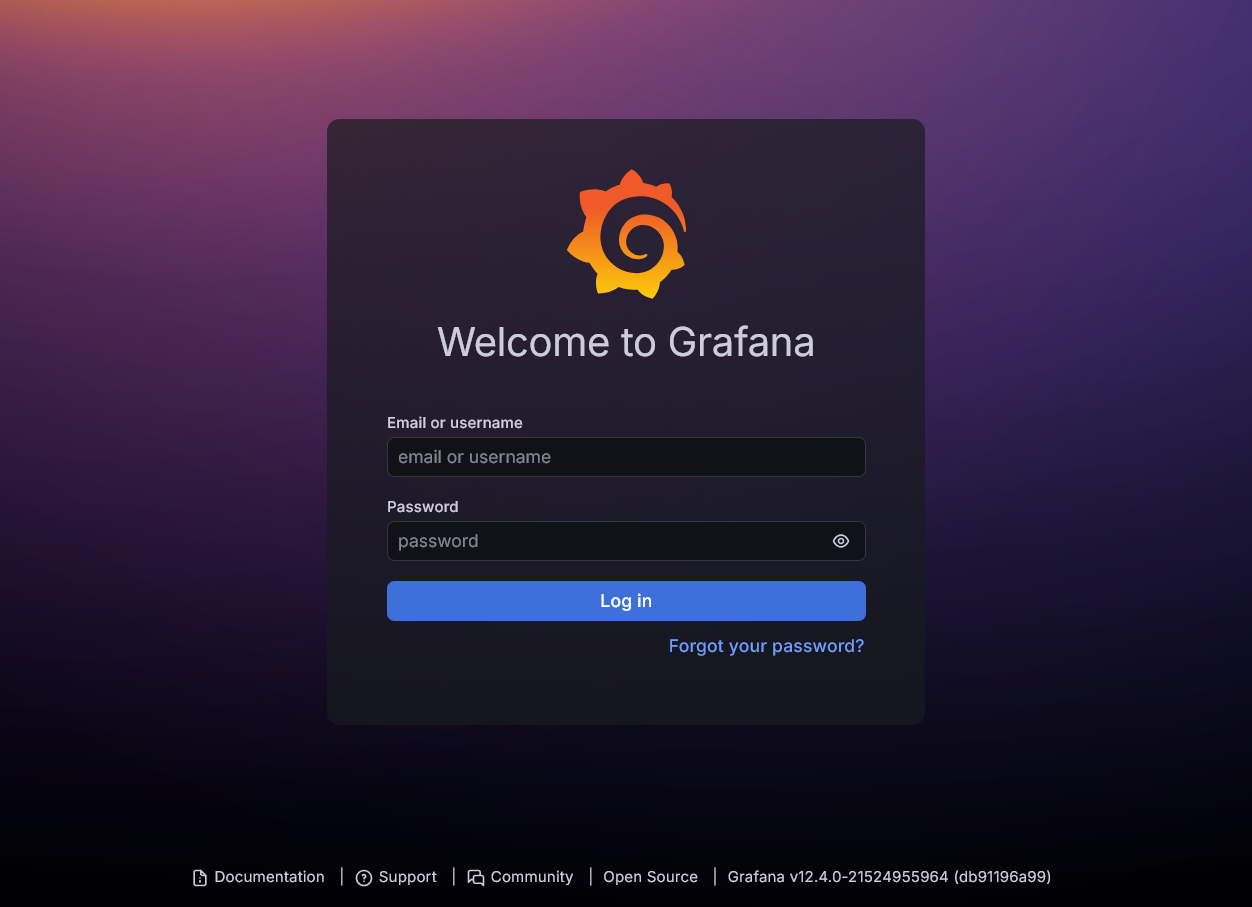
Grafana login page Enter
adminas username and also as password. Right after login you ares asked to change the password. Do it or skip this step altogether:
Grafana change password page After login successfully you get into your Grafana’s
Homedashboard:
Grafana Home dashboard This dashboard is essentially empty since you do not have yet any data source connected nor any specific dashboard created.
Adding the Prometheus data source
The very first thing you must configure is the connection to a data source from which Grafana can get data to show. Here you will configure a connection with your Prometheus server:
Click on the menu button found at the upper left side of the Grafana dashboard:

Menu button at the upper left side of Grafana dashboard On the menu revealed on the left, click on
Connections:
Grafana left side menu with Connections option highlighted In the
Connectionspage, click onAdd new connection:
Grafana Connections page with Add new connection option highlighted In the
Add new connectionpage, you have to wait a moment for it to load the list of all plugins you could potentially use in your Grafana setup:
Grafana Connections Add new connection page showing list of all plugins Filter the list by the
Installedstate to show only the plugins already available in your Grafana setup, then look for thePrometheusplugin:
Grafana Connections Add new connection page showing installed plugin Prometheus Click on the Prometheus plugin to reach its overview page. There press the
Add new data sourcebutton found almost at the top right:
Grafana Connections Add new connection Prometheus plugin overview You reach the form where to setup the connection to your Prometheus server:

prometheus data source Settings form under Connections Data sources section This form is long but do not worry, you do not have to fill all these values. Just set the following ones:
Name
Type some significant string here, likePrometheus Homelab Cloud server.In the
Connectionsection,Prometheus server URL
Specify the internal absolute FQDN of your Prometheus service with the port concatenated after it. For this guide, the valid URL is:http://server-prometheus.monitoring.svc.homelab.cluster.:9090In the
Authenticationsection\Authentication method
Change it toBasic authentication, then enter the user and password of the user you created for Grafana. In this guide is the user calledgrafuserincluded in the Prometheus web configuration.
Leave all the rest of fields in the form with their default values.
Jump to the bottom of the form and click on
Save & test:
Save & test button in Prometheus data source form Right after pressing the button you should see a green success message above it:

Save & test success in Prometheus data source form
Enabling a dashboard for Prometheus data
Now you have an active Prometheus data source, but you still need a dashboard to visualize the data it provides in Grafana.
Return to the top of your Prometheus data source form and click on the
Dashboardstab:
Prometheus data source form Dashboards tab highlighted You can see the following list of dashboards:

Prometheus data source form dashboards list Pick the
Prometheus 2.0 Statsfrom the dashboards list by pressing on the correspondingImportbutton:
Prometheus data source dashboard Prometheus 2.0 Stats highlighted The action should be immediate, and the item switches its
Importbutton for aRe-importone as a result:
Prometheus data source dashboard Prometheus 2.0 stats imported Open the side menu and click on the
Dashboardsoption:
Grafana side menu with Dashboards option highlighted You get to a page listing the dashboards enabled in your Grafana setup. At this point, you can only see your newly imported
Prometheus 2.0 Statsdashboard:
Grafana enabled dashboards list Click on the
Prometheus 2.0 Statsitem to enter into the dashboard:
Prometheus 2.0 Stats dashboard Notice that this dashboard only shows you the metrics scraped by the
prometheus-selfjob, meaning that it is centered on the Prometheus server metrics alone.
You need other dashboards to show different sets of metrics
A good starting point to find new dashboards is the official Grafana “marketplace”.
Users management
Grafana comes with an integrated user authentication and management system. You can find its page in Administration > Users and access > Users:

Click on the Users option to reach the users management page of your Grafana setup:

There is only the admin user you have used before. It would be better if you created at least another one with lesser privileges and make it your regular user.
Monitoring stack Kustomize project attached to this guide
You can find the Kustomize project for this Monitoring stack deployment in the following attached folder.
Relevant system paths
Folders in kubectl client system
$HOME/k8sprjs/monitoring$HOME/k8sprjs/monitoring/resources
Files in kubectl client system
$HOME/k8sprjs/monitoring/kustomization.yaml$HOME/k8sprjs/monitoring/resources/monitoring-ssd-grafana-data.persistentvolume.yaml$HOME/k8sprjs/monitoring/resources/monitoring-ssd-prometheus-data.persistentvolume.yaml$HOME/k8sprjs/monitoring/resources/monitoring.homelab.cloud-tls.certificate.cert-manager.yaml$HOME/k8sprjs/monitoring/resources/monitoring.homelab.cloud.ingressroute.traefik.yaml$HOME/k8sprjs/monitoring/resources/monitoring.namespace.yaml